Animal Tactics devlog1 min read
Unit Tactics 0.3: any window, instant tooltips, live scouting
The layout works at any window size, tooltips appear the moment you hover, and scouting now shows every fight live, side by side.
Animal Tactics was called Unit Tactics until version 0.8.1, so this post uses the old name.
0.3 is about playing on a real desktop, where windows come in every size and the mouse is always hovering over something.
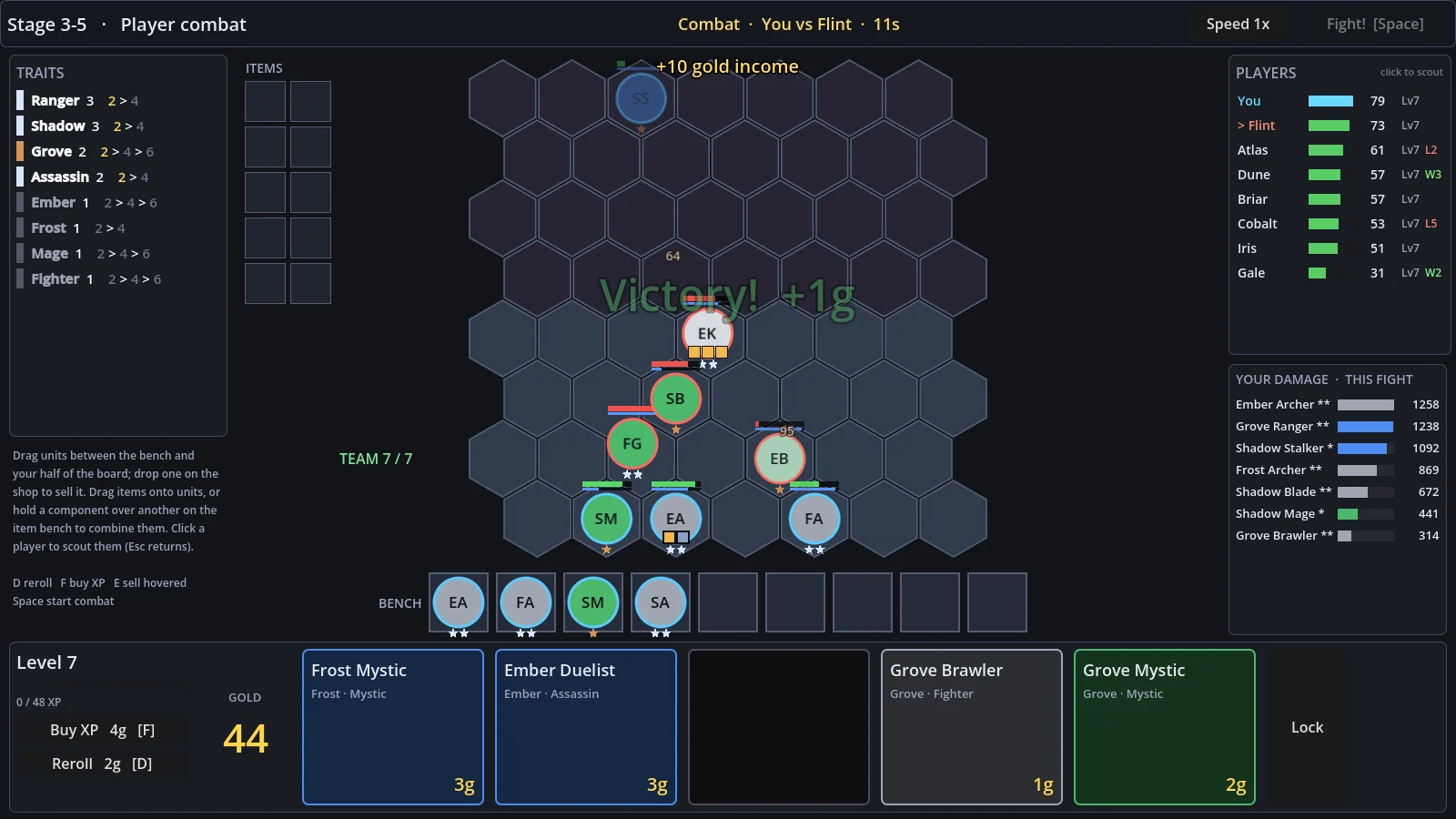
Any window size
The game is laid out at 1600 by 900, but the window can now be any size or shape. Panels are pinned to the edges of the screen and the board stays in the middle, so a wide monitor gets more room instead of black bars.
Tooltips without the wait
Items, traits and shop cards show their tooltips the instant you hover them. A trait's tooltip also lists every unit that has it, marked as on your board, on your bench, or still missing, which makes it much easier to plan what to buy next.
Items, smoother
Holding one component over another on the item bench for a couple of seconds now combines them, without needing a unit. You can also equip items while a fight is running; they show up right away but only take effect from the next fight.
Every fight, live
All of a round's fights now run at the same time. Scouting a player during combat shows their fight as it happens, and the round waits for the fight you're watching to finish. This release also fixed units that had died staying on the board after a fight was fast-forwarded.